1. Contact ALLCLEAR TECH
Call us at (631) 654-6450 or book an appointment. We’ll arrange a convenient time to help you.
How to contact us
- Call (631) 654-6450
- Book Online
REMOTE TECHNOLOGY SUPPORT
Call us at (631) 654-6450 or book an appointment. We’ll arrange a convenient time to help you.
Once the date and time were confirmed, we’ll give you a unique Session ID by phone, text, or email, based on your preference.
Click the blue round button at the bottom right side of this page, enter your Session ID, and follow the instructions to allow sharing.
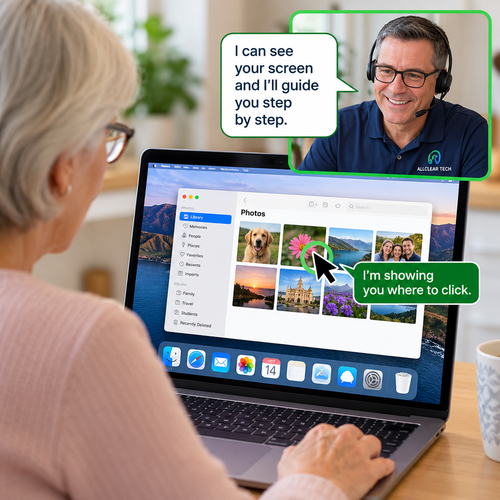
Once connected, we’ll see what you’re sharing, explain what’s happening, and guide you step by step. You can stop sharing anytime. We cannot control anything on your device!
Screen Sharing (Cobrowsing) = We can see what you’re sharing and guide you step by step. You operate your own computer while we explain what to do.
Remote Support = With your permission, we can securely connect to your computer and operate it directly to troubleshoot problems, change settings, or provide hands-on assistance.
Not sure which you need? > We’ll help you choose the best option.
By joining a session, you agree to share the information displayed in the selected browser or screen with ALLCLEAR TECH for the purpose of providing technology assistance. You may end the session at any time.