1. Contact ALLCLEAR TECH
Call us at (631) 654-6450 or book an appointment. We’ll arrange a convenient time to help you remotely.
How to contact us
- Call (631) 654-6450
- Book Online
REMOTE TECHNOLOGY SUPPORT
Call us at (631) 654-6450 or book an appointment. We’ll arrange a convenient time to help you remotely.
Once the date and time were confirmed, we’ll give you a unique Session ID by phone, text, or email, based on your preference.
Click JOIN REMOTE SUPPORT and enter your Session ID and name.
Approve the connection when prompted.
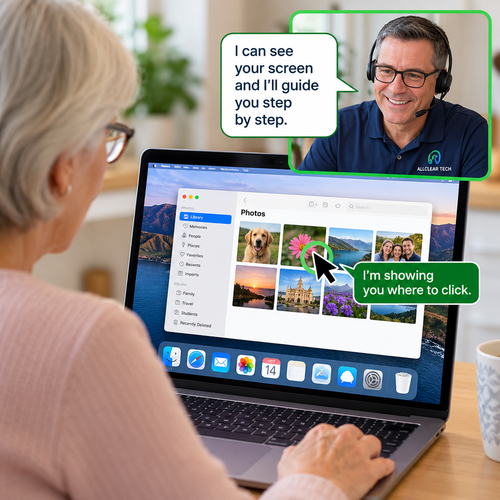
Screen Sharing (Cobrowsing) = We can see what you’re sharing and guide you step by step. You operate your own computer while we explain what to do.
Remote Support = With your permission, we can securely connect to your computer and operate it directly to troubleshoot problems, change settings, or provide hands-on assistance.
Not sure which you need? > We’ll help you choose the best option.
Once you’ve approved the connection, your ALLCLEAR TECH technician can see your screen and, with your permission, operate your computer to help resolve problems.
You can watch what’s happening, ask questions, and follow along.
A few things to remember:
✓ Stay nearby. We may need you to answer questions or approve certain actions.
✓ You’re in control. You can ask us to stop or end the session at any time.
✓ Your privacy matters. Close personal documents and sensitive information before connecting.
✓ No permanent access. A regular support session doesn’t give us permission to reconnect later without your involvement.
Your information stays yours. We respect your privacy and only access information needed to provide the requested assistance.
No ongoing access without agreement. Standard attended support is temporary. Any future unattended access requires separate authorization.
Clear expectations. We’ll explain the work and any applicable charges before beginning.
Only join a remote support session you’ve arranged with ALLCLEAR TECH. Never allow unexpected callers or strangers to access your computer.
By joining a session, you agree to share the information displayed in the selected browser or screen with ALLCLEAR TECH for the purpose of providing technology assistance. You may end the session at any time.
Don’t worry! You don’t need to install anything beforehand. When you join, you’ll be guided through downloading and opening a small support application. We’ll stay with you throughout the process.